Release date: May 27, 2026
We’ve released new updates to the IDS4 folder experience designed to make folder management easier to navigate and important information easier to find.
This release introduces:
- A redesigned folder management navigation experience
- The return of the Folder Overview page from IDS3
Together, these updates create a more organized and scalable experience for both Account Admins and Folder Share users while supporting future enhancements planned for IDS4.
Folder Management Has a New Navigation Layout
Previously, folder management settings in IDS4 were organized using a horizontal tab layout.
With this update, folder management now uses a left-side navigation menu that groups related settings together in a more structured way, similar to the Account Information experience already available in IDS4.
Before this update, users navigated folder settings through tabs across the top of the screen.
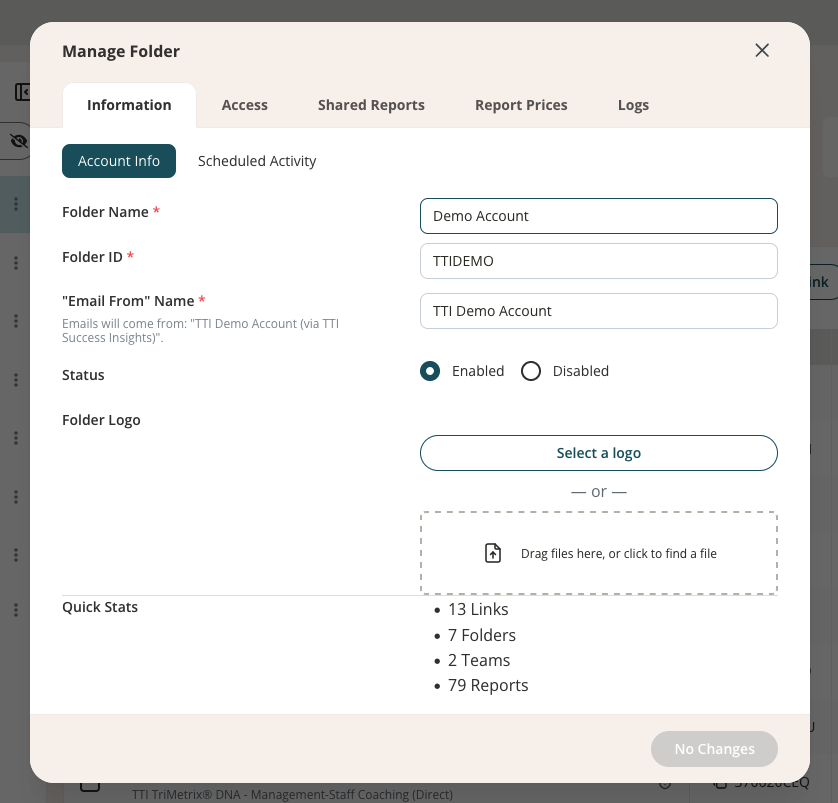
The updated experience introduces a left-side navigation structure that makes it easier to browse and manage folder settings.
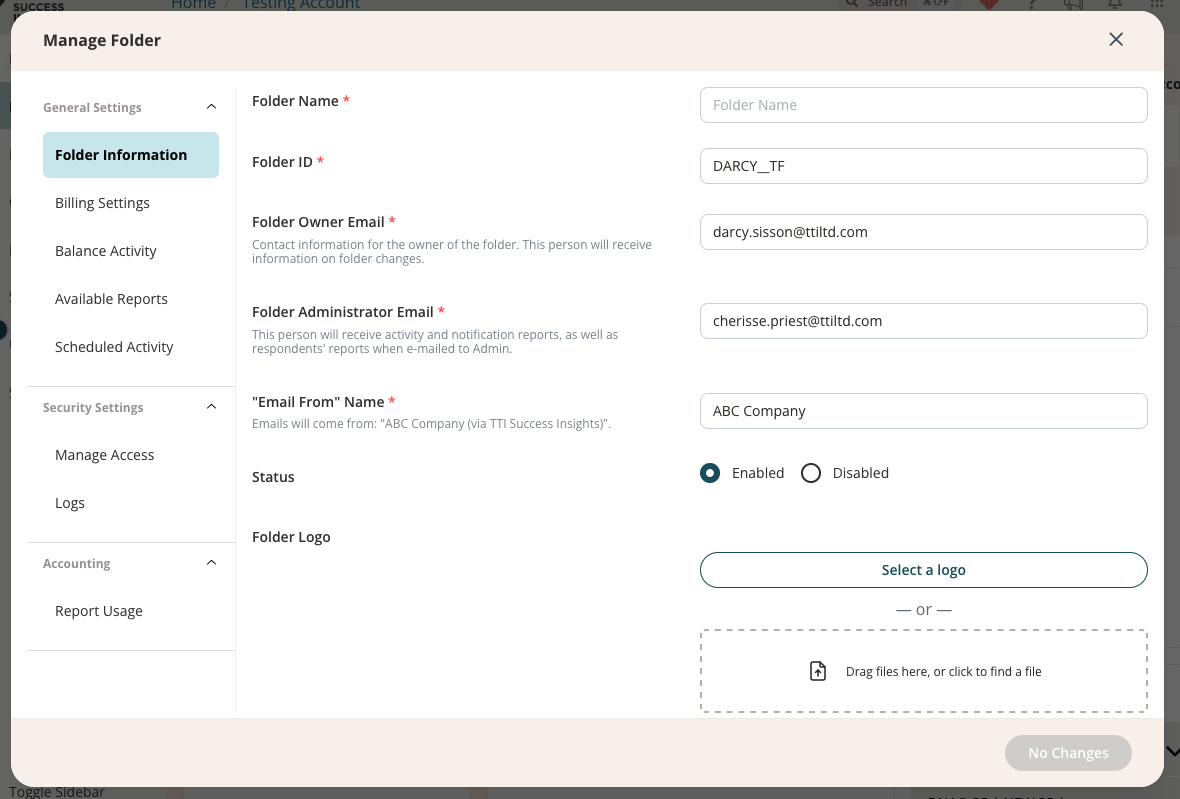
This updated layout helps users:
- Quickly locate settings and configuration areas
- Navigate related folder options more easily
- Experience greater consistency across IDS4
The new structure also provides additional flexibility for upcoming permission enhancements.
Folder Overview Is Back
IDS4 now includes a dedicated Overview tab within folders, restoring a feature previously available in IDS3.
The new Overview page gives users a centralized summary of important folder information without needing to open folder management settings.
Users can quickly view:
- Folder information
- Activity reporting summaries
- Available report types
The previous folder experience opened directly into folder content views such as Links, Teams, and Reports.
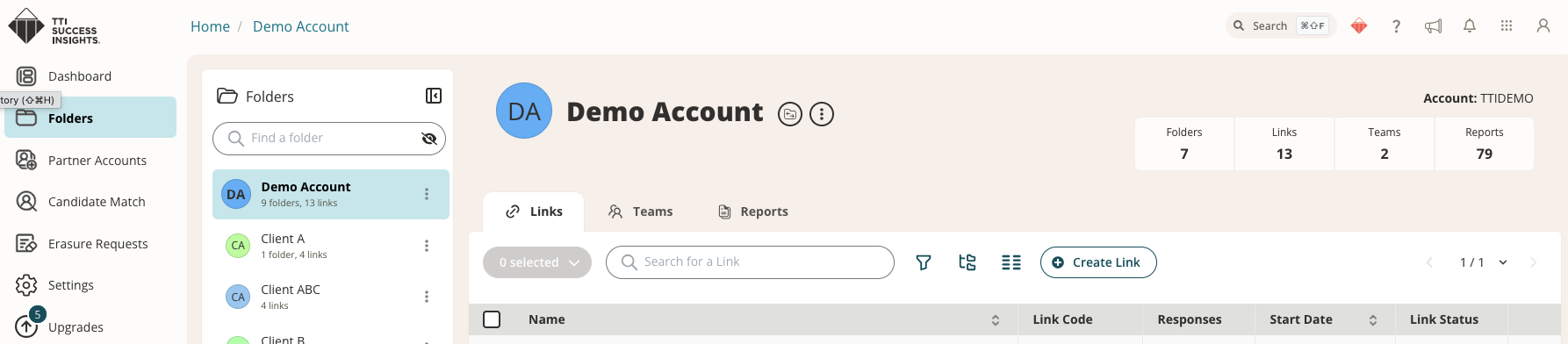
With this update, folders now include a dedicated Overview tab for quick visibility into folder details and configuration summaries.
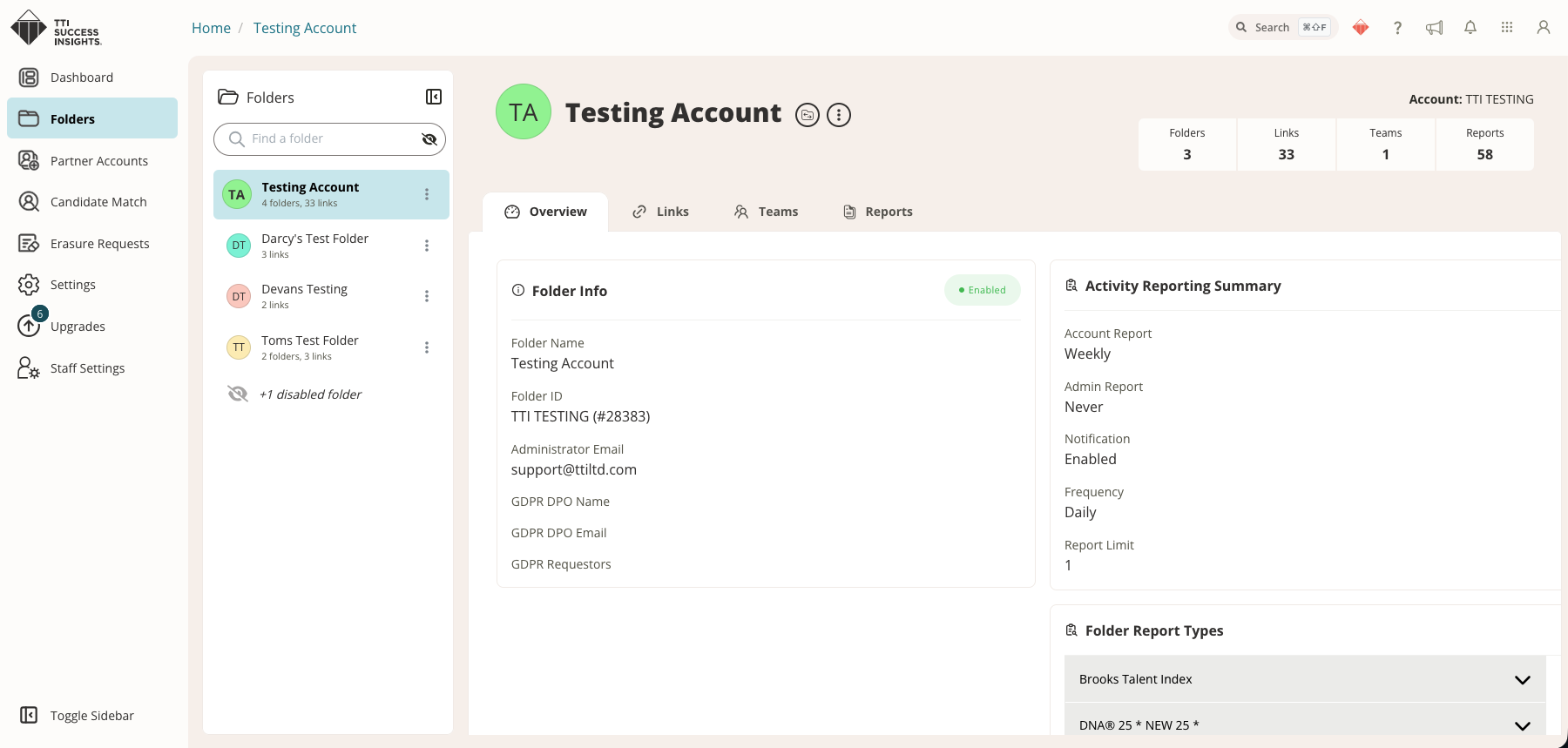
The Overview page is informational only. To make changes to folder settings, users will continue to use the Manage Folder option in the three-dot menu.
Who Will See These Changes?
These updates are now available for:
- Account Admins
- Users given Folder access
Users with folder access will now also see the new Overview tab for folders they can access, along with the updated folder management navigation experience when managing sub-folders.
These enhancements are part of our continued effort to improve usability, simplify navigation, and support a smoother transition experience as IDS4 continues to evolve. For any questions, please contact Partner Support.